
Key features · Offers & contracts
An offer in under a minute.
A signed contract one click later.
Build offers straight from live fleet availability, priced from your own price lists. One click turns an accepted offer into a contract your customer signs on their phone.
Included in every plan
What it does for you
-

Quote from live availability
Start an offer from the equipment calendar or the equipment list and see what is free on the dates your customer asks for – before you promise anything.
-

Your price lists do the math
Day-range rates that fall as the rental gets longer, monthly rates and customer price lists are applied for you. Discounts, a minimum rental period and extra costs go on the same offer.
-

One click to a contract, signed on the phone
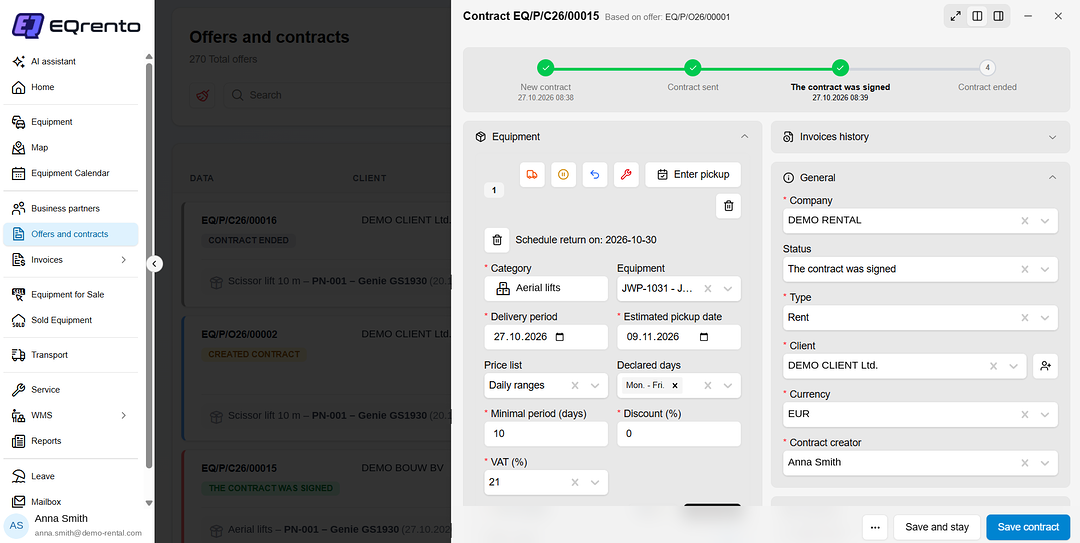
An accepted offer becomes a contract in one click. Your customer signs it electronically on their phone, and both PDFs come out in your own template.
-

Sent from your own mailbox
Offers and contracts go out by email straight from EQrento, from your own address. A status timeline shows what was sent, accepted and signed.
All features
Everything in Offers & contracts. A tag marks the plan where a feature starts above Essential.
Offers
- Offers built from the equipment calendar or the equipment list, with availability shown for the chosen dates
- Day-range price lists (the rate falls as the rental gets longer) or monthly rates, and price lists for individual customers
- The day-range rate can follow the actual length of the rental or the declared period
- Any price can be changed on the offer
- Discounts, a minimum rental period and declared working days (e.g. Mon–Fri)
- Additional costs: transport, insurance, fuel, cleaning and services – also ones billed on the next invoice
- Attachments such as a boom lift’s reach chart or the machine’s documents
- Offer PDF in your own template, sent by email straight from the system, from your own mailbox
- Status timeline: new → sent → accepted → contract created
- Sales offers next to the rental ones Enterprise
Contracts
- An accepted offer becomes a contract in one click
- Electronic signature on the customer’s phone
- Contract PDF in your own template, e.g. a one-page contract with a link to your terms and conditions
- Status timeline: new → sent → signed → completed
- Contract list with the contact person, filtered by date, company and status
- Overdue contracts and extensions
- Equipment status and unavailability shown on the contract
- Breakdowns, downtime and returns reported straight from the contract
- History of offers and contracts for every customer and every machine
- Weekend and date pricing rules, multiple currencies Complete
- A salesperson assigned to the offer, contract and invoice, with a results report Connected
Customers
- Customer database with contact people, notes and documents
- Customer statistics: paid and overdue invoices, active contracts and equipment on rent right now
- Company data fetched from the Polish business register (GUS) and bank accounts checked against the VAT white list Poland


Plans
Included in every plan
Offers, contracts and the customer database are part of Essential. Weekend and date pricing rules and multiple currencies start with Complete, and a salesperson can be assigned from Connected.